
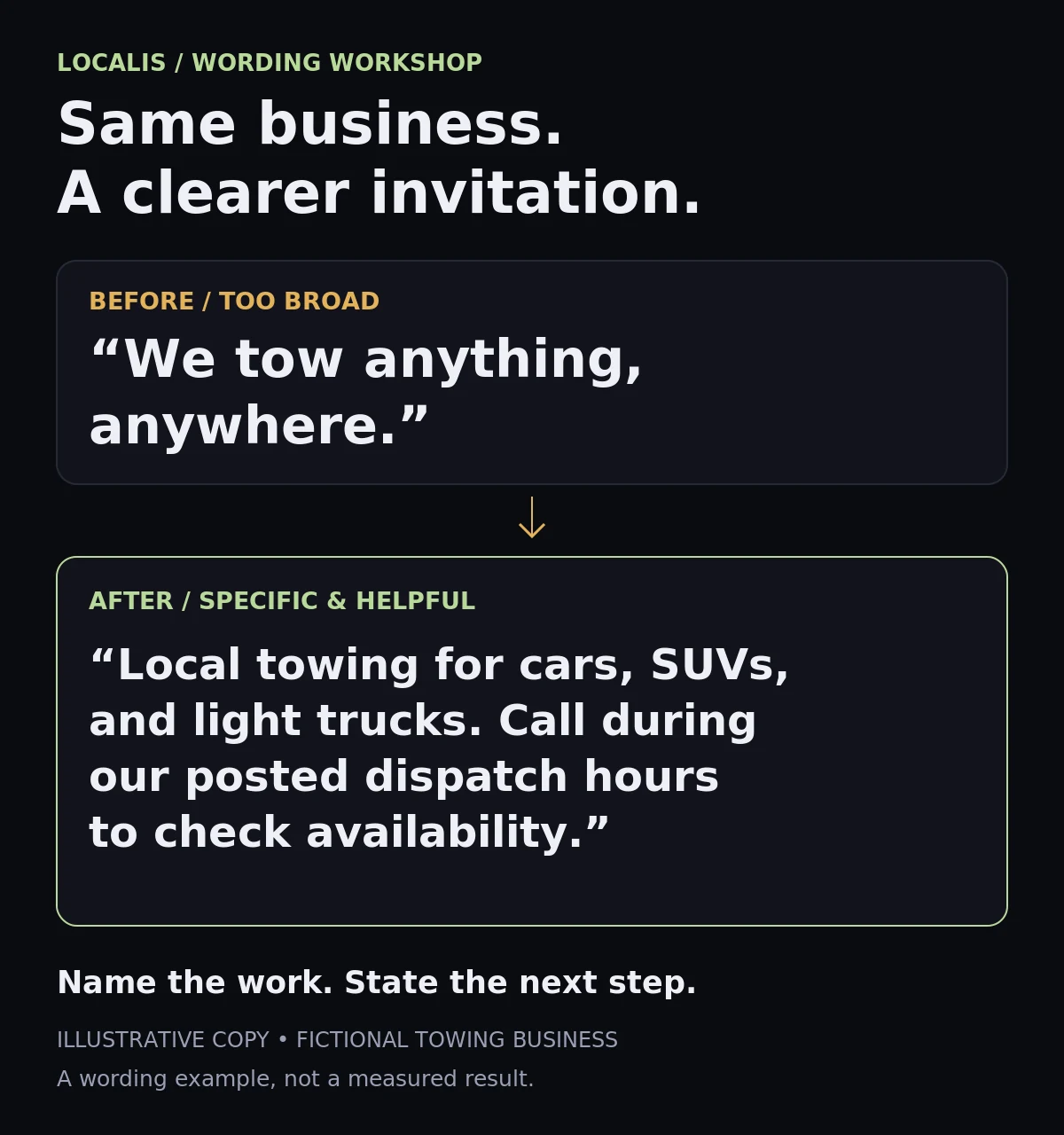
Imagine you run a towing company. You don’t tow motorcycles. Your homepage says, “We tow anything.”
There’s your next awkward phone call.
The customer didn’t misunderstand your business. They understood your sentence perfectly.
Most marketing advice starts with getting more people to call. Let’s try something different: finding the promises that invite work you can’t actually take.
Set aside an hour for a first pass. You’ll need your website, your Google Business Profile, your phone greeting, and whoever usually answers those calls.
1. Start with the calls—not the website
Ask your receptionist, dispatcher, or front-desk person:
“What do people keep asking us for that we don’t actually do?”
That question is more useful than “How’s the website looking?” Your team knows where expectations go sideways.
Make a private list. Be specific:
- Vehicle types you can’t safely haul.
- Repairs or services you don’t perform.
- Towns outside your actual dispatch area.
- After-hours requests when nobody is available.
- Commercial jobs when you only serve homeowners—or the reverse.
“Bad leads” isn’t specific enough. “People asking us to repair appliances when we only install them” is something you can investigate.
Keep this list private. You’re not writing a cranky manifesto for the homepage. You’re figuring out where customers need clearer information.
2. Find the sentence that sounds like “yes”
For each item, look for the public wording that could reasonably invite that request. Copy the exact phrase—not just “fix homepage.”
Check four places:
Your website. Read the headline, service buttons, FAQs, and footer. “Anything,” “everywhere,” “all makes,” and “full service” deserve a second look. They may be accurate. They may also be doing more promising than you intended.
Your Google Business Profile. Check the services, categories, description, and hours. Does the listing describe the business you operate today? Google’s Business Profile guidelines call for accurate representation. Don’t remove legitimate services just to tidy the list; confirm what you actually offer first.
Your ads. If you run Google Ads, review the actual search terms alongside your ad wording. Are people finding you while asking for a service you don’t provide? Don’t guess from a word alone: “cheap,” for example, doesn’t automatically mean the caller is wrong for your business.
Your phone greeting. Listen to the recording. Really listen. Does it promise emergency coverage, immediate callbacks, or hours that your team no longer provides?
For each private-list item, mark the public information accurate, unclear, or inviting the wrong request.
If you can’t find a mismatch, don’t manufacture one. Some calls are simply misdials or misunderstandings.
3. Replace the broad promise with a useful answer
The fix usually isn’t a giant “WE DON’T” section.
Lead with what you do.
Instead of:
“We handle all your vehicle needs.”
Try a specific statement that’s true for the shop:
“Collision repair and paintwork for cars, SUVs, and light trucks.”
Instead of:
“Serving the entire region.”
Name the towns you routinely serve, and explain whether customers outside that area should call to check availability. Changing a Google service-area setting isn’t a hard fence that prevents out-of-area inquiries.
If a particular misunderstanding happens repeatedly, a friendly boundary can help:
“We install new appliances; we don’t provide appliance repairs.”
That isn’t unfriendly. It saves someone a phone call and gets them closer to the help they need.
For Google Ads, negative keywords can exclude searches for genuinely unoffered services. Use them carefully: exclusions can block useful searches too, and negatives don’t automatically cover close variants. Start with evidence from your search terms, not a giant downloaded blocklist.
4. Try it on a fictional towing business
Suppose a company handles local car and light-truck tows during its posted hours. It doesn’t tow motorcycles or provide overnight dispatch.
Its homepage says “Anything, anywhere.” An old service listing includes motorcycle towing. The voicemail says “Available 24 hours.”
Three places are inviting work the company can’t take.
A clearer homepage might say:
“Local towing for cars, SUVs, and light trucks. Call during our posted dispatch hours to check availability.”
The owner would also confirm the service listing and correct the voicemail. Each statement should match what the business can actually deliver—not what sounds most impressive.
5. Copy this mini worksheet
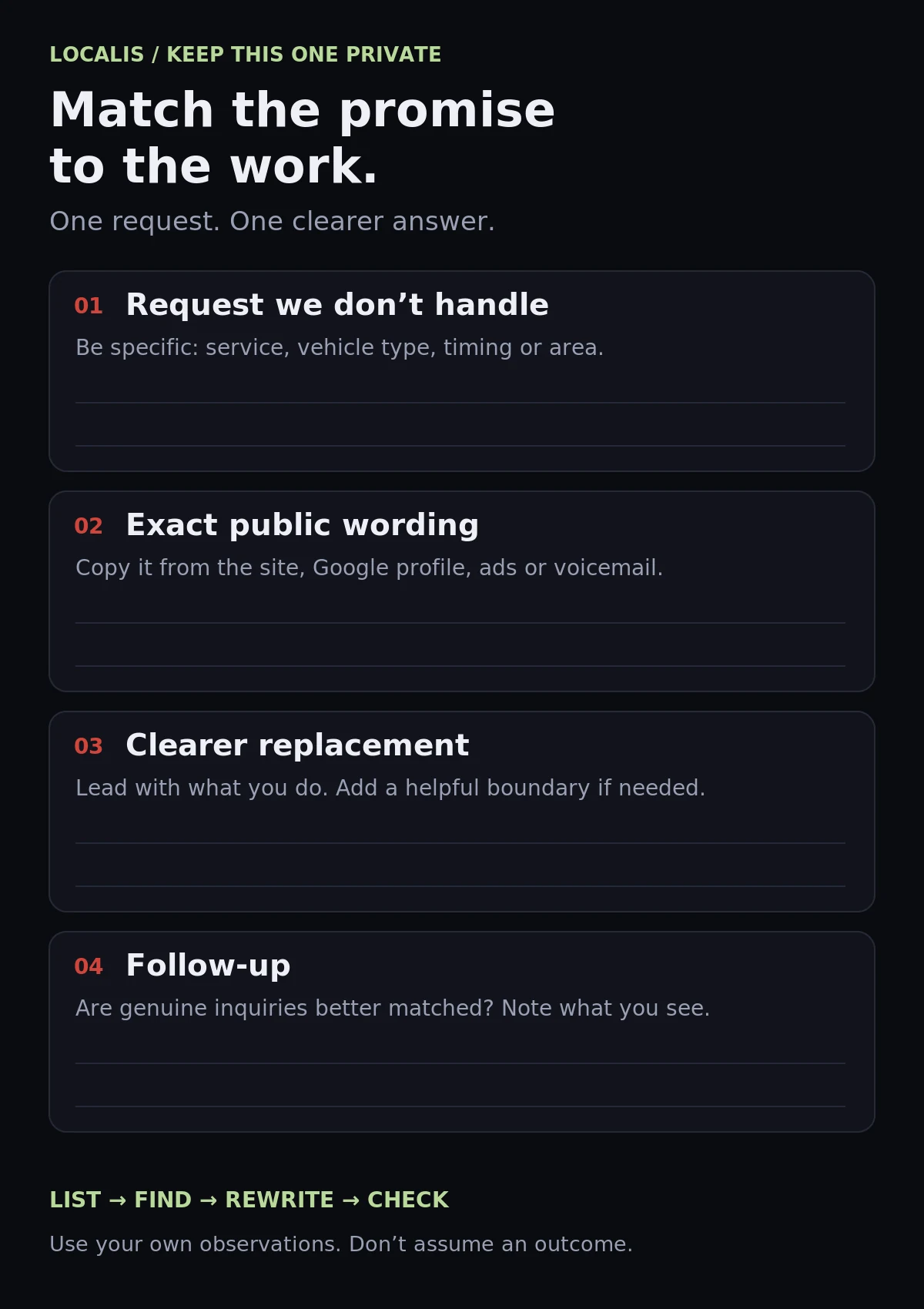
Repeat these lines for each mismatch:
- Request we don’t handle: What is the caller asking for?
- Exact public wording: What might have invited that request, and where does it appear?
- Clearer replacement: What do we offer, and what boundary would genuinely help?
- Follow-up: After the change, are inquiries better matched to our work?
For the fictional towing company, the first entry would be motorcycle requests, the phrase “We tow anything,” and a replacement naming the vehicle types it actually handles. Whether that reduces mismatched calls is something to observe—not a result to assume.
Keep a simple tally of inquiry types before and after. Don’t judge from one quiet afternoon, and remember that changing ads or demand can affect the mix too.
You don’t need to discourage customers. You need to stop making them guess.
If you’d like a second set of eyes, Localis can help you line up your website, Google profile, and ads with the work you actually do. Start with that front-desk question. The answer might tell you exactly what to fix first.